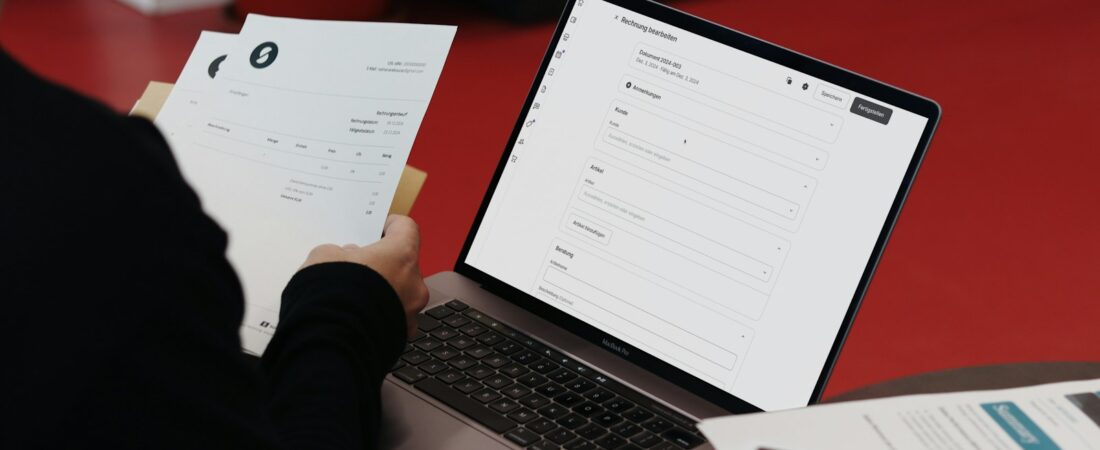
If you keep a company’s books, you already know the quiet frustration of chasing money that has already been earned. Invoices go out, deadlines pass, and somehow the cash never arrives on time. The best AI accounts receivable tools for accountants in 2026 exist precisely because collections is one of the most time-consuming, least enjoyable parts of the job — and one of the easiest to automate without losing the human touch clients expect.
I’ve spent the last few years watching AR software evolve from simple reminder schedulers into genuinely intelligent systems that predict when an invoice will be paid, draft the follow-up email for you, and flag the accounts most likely to slip into bad debt. For accountants, controllers, and finance teams, that shift matters. Every day an invoice sits unpaid is a day your organization is effectively financing its customers for free.
This guide reviews six AI-powered accounts receivable tools worth your attention in 2026. I’ll cover what each one actually does, who it fits, honest pros and cons, and current pricing so you can decide without sitting through six sales demos. None of these tools is magic, but the right one can shave hours off your week and pull your days sales outstanding (DSO) down measurably.

Quick Comparison Table
| Tool | Best For | Free Plan | Paid From | Rating |
|---|---|---|---|---|
| HighRadius | Large finance teams | No | Custom quote | 4.5/5 |
| Tesorio | Cash forecasting + AR | No | Custom quote | 4.4/5 |
| Upflow | SMB collections | Yes | Custom quote | 4.3/5 |
| BILL | AP + AR in one | No | ~$45/user/mo | 4.2/5 |
| Chaser | Smart invoice chasing | Trial | ~$40/mo | 4.4/5 |
| Gaviti | Mid-market workflows | No | Custom quote | 4.3/5 |
1. HighRadius
HighRadius is an enterprise-grade autonomous receivables platform that uses AI to automate cash application, collections prioritization, and deductions management. Its models learn from your payment history to predict which invoices are at risk and when customers are likely to pay. For a busy accounting department, that predictive layer turns collections from guesswork into a ranked to-do list.
Use case for accountants: In a mid-to-large finance team, HighRadius can auto-match incoming payments to open invoices — the cash-application step that quietly eats hours every month-end — with very high accuracy.
- AI cash application and remittance matching
- Predictive collections worklists and payment-date forecasts
- Deductions and dispute management
- Real-time AR analytics and DSO dashboards
- Deep ERP integrations (SAP, Oracle, NetSuite)
Pros: Powerful automation at scale, strong cash-application accuracy, and analytics that give leadership real visibility.
Cons: Built for larger organizations, implementation takes time, and pricing is opaque and enterprise-level.
Pricing: Custom, quote-based; no public pricing and no free plan (as of early 2026).
Best for: Large finance teams and shared-service centers processing high invoice volumes.
2. Tesorio
Tesorio blends AI-driven cash flow forecasting with accounts receivable and collections automation, giving finance teams one connected view of expected cash. Rather than treating collections and forecasting as separate chores, it links them: better chasing produces a more reliable forecast.
Use case for accountants: Tesorio predicts a payment date for each customer and builds prioritized collections workflows, so your team chases the accounts that matter most instead of emailing everyone the same generic reminder.
- AI payment-date predictions per customer
- Automated, personalized collections cadences
- Integrated cash flow forecasting
- CRM and ERP integrations
- Shared workspace for notes and account ownership
Pros: Excellent forecasting, thoughtful automation, and a genuinely useful single pane of glass for cash.
Cons: Custom pricing, some overkill for very small businesses, and a modest learning curve.
Pricing: Custom, enterprise quote; no free plan.
Best for: Growth-stage and mid-market companies that want AR and cash forecasting in the same tool.

3. Upflow
Upflow is an AR management platform built to make collections structured and data-driven, with automation that adapts to each customer’s behavior. It is one of the more approachable tools on this list, which makes it a common first step for teams moving off spreadsheets.
Use case for accountants: For accountants at small and mid-sized businesses, Upflow centralizes every open invoice, automates reminder sequences, and clearly surfaces which customers are consistently late.
- Automated, customizable dunning workflows
- AR analytics and DSO tracking
- Branded customer payment portals
- Integrations with QuickBooks, Xero, NetSuite, and Stripe
Pros: Clean interface, solid integrations, and a free plan that lets you start without budget approval.
Cons: The most advanced automation sits behind higher tiers, and pricing at scale is quote-based.
Pricing: Free plan for basic AR tracking; paid plans are custom (as of early 2026).
Best for: SMBs that want to professionalize collections without a heavy implementation.
4. BILL (formerly Bill.com)
BILL is a widely used accounts payable and receivable platform, and its AR side automates invoicing, payment collection, and reminders with AI-assisted workflows. Many firms already run their payables through BILL, so turning on the AR features is a low-friction way to modernize collections.
Use case for accountants: Send invoices, accept several payment methods, and let automated reminders handle the follow-up — especially handy for firms that already trust BILL for payables.
- Automated invoicing and reminder sequences
- Multiple payment options including ACH and card
- Recurring invoices and auto-pay
- Sync with QuickBooks, Xero, and NetSuite
Pros: Familiar and reliable, integrates broadly, and keeps AP and AR under one roof.
Cons: AR features are less advanced than dedicated collections tools, and per-user costs add up for bigger teams.
Pricing: Plans start around $45/user/month (as of early 2026); no free plan, though a trial is available.
Best for: Small businesses and firms that want AP and AR handled in a single trusted platform.
5. Chaser
Chaser is a dedicated AR automation and credit-control tool whose AI sends payment reminders that read like a person wrote them. It focuses on doing one thing extremely well: getting invoices paid faster while protecting customer relationships.
Use case for accountants: Automate the entire chasing sequence while keeping the tone personal; the AI suggests the best send times and sensible escalation points so nothing feels robotic.
- Automated, personalized reminder schedules
- AI send-time optimization
- Debtor tracking and risk scoring
- Payment portal and payer-side reminders
- Integrations with Xero, QuickBooks, and Sage
Pros: Affordable, keeps a human tone, and quick to set up.
Cons: Fewer forecasting features, and it is built for reminders rather than full cash application.
Pricing: Paid plans start around $40/month (as of early 2026); free trial available.
Best for: SMBs that mainly need smarter, automated invoice chasing.
6. Gaviti
Gaviti is an AR collections-automation platform that uses AI to build self-adjusting collection strategies and predict payment behavior. It sits comfortably between the lightweight tools and the enterprise heavyweights, with configurable workflows that grow with you.
Use case for accountants: Gaviti segments customers automatically and assigns the right cadence to each, with dashboards that show your team exactly where to focus their limited hours.
- AI-driven collection workflows
- Payment predictions and DSO analytics
- Disputes and deductions tracking
- Self-service payment portal
- ERP and accounting integrations
Pros: Strong analytics, flexible workflows, and responsive support.
Cons: Custom pricing and a newer name than some rivals.
Pricing: Custom, demo-based; no public free plan.
Best for: Mid-market finance teams that want configurable collections automation.

How to Get Started
Adopting an AI accounts receivable tool is less about the software and more about the habits around it. Here is the sequence I recommend to accountants rolling one out for the first time.
- Clean your data first. AI predictions are only as good as your invoice and payment records. Reconcile open invoices and standardize customer names before you connect anything.
- Start with one workflow. Turn on automated reminders for a single customer segment rather than the entire ledger. It builds confidence and surfaces edge cases early.
- Pilot on your slowest payers. The customers who cost you the most in DSO are where automation shows the clearest return, so measure the impact there first.
- Track DSO before and after. Record your baseline days sales outstanding, then compare after 60 to 90 days. That single number tells you whether the tool is earning its keep.
Common Mistakes to Avoid
The tool rarely fails on its own — the rollout does. These are the mistakes I see accountants make most often when adopting AI accounts receivable software.
- Automating on top of messy data. If your open invoices and customer records are inconsistent, the AI will confidently chase the wrong balances. Reconcile before you connect anything.
- Using one generic cadence for everyone. Your best client and your slowest payer should not receive identical reminders. Segment customers and let the tool tailor the tone and timing to each.
- Over-automating the relationship. Collections is still about people. Keep a human in the loop for key accounts so a well-meaning automation never damages a relationship worth more than the invoice.
- Skipping the DSO baseline. If you don’t record where you started, you can’t prove the tool works. Capture your days sales outstanding before go-live and review it quarterly.
- Buying enterprise power you don’t need. A five-person team rarely needs a platform built for a shared-service center. Match the tool to your volume, not to the flashiest demo.
Frequently Asked Questions
Can AI accounts receivable tools replace a collections team? No, and you should be skeptical of any vendor that implies otherwise. These tools remove repetitive work — matching payments, sending reminders, ranking accounts — so your team can spend time on the judgment calls and relationships that software cannot handle.
Are AI AR tools safe for client and customer data? The established platforms here use encryption and standard compliance certifications such as SOC 2. Still, review each vendor’s security documentation and your own data-handling obligations before connecting your accounting system.
Do these tools integrate with QuickBooks or Xero? Most do. Upflow, BILL, and Chaser all connect to QuickBooks and Xero directly, while enterprise tools like HighRadius focus on larger ERPs such as SAP, Oracle, and NetSuite.
How much can AI AR automation actually reduce DSO? Results vary, but teams that consistently automate reminders and prioritize collections commonly report meaningful DSO reductions within a few months. The improvement comes from consistency, not magic — the tool simply never forgets to follow up.
What is the cheapest way to start? Begin with a free plan or trial. Upflow offers a free tier, and Chaser provides a trial, so you can test automated collections on real invoices before committing budget.
Conclusion
If I had to name one starting point for most accountants in 2026, it would be Tesorio for teams that want forecasting and collections together, or Upflow if you want a low-risk free plan to prove the concept first. Larger departments will get more from HighRadius or Gaviti, while firms already living inside BILL can switch on AR without adding another login. The best tool is the one your team will actually use every week.
Whichever you choose, pair it with clean data and a clear DSO baseline so you can prove the value. For more picks across finance and beyond, explore more AI tools for professionals, and if payables are your next bottleneck, see our guide to AI invoice processing tools.