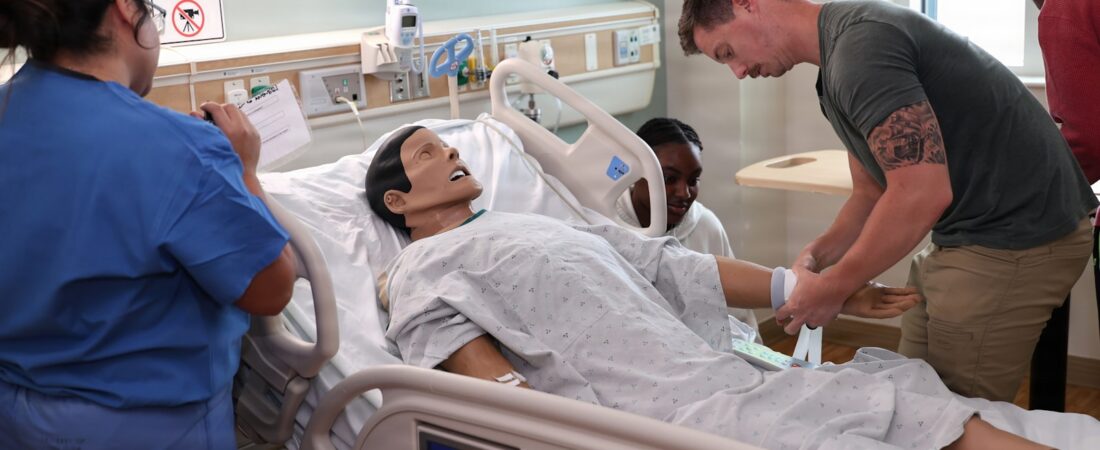
It is 9pm on a Sunday and you are rebuilding the same pharmacology lecture you rebuilt last year, because the guidelines shifted, three slides are now wrong, and the case study you used has been posted to a course-sharing site. Meanwhile you owe feedback on 40 care plans, your simulation scenario needs a new script, and clinical placements start Tuesday. Nursing faculty are doing curriculum design, assessment, remediation, and clinical coordination in the same week — usually without instructional design support.
This is where AI tools for nurse educators in 2026 have actually become useful rather than just hyped. Not for writing your lectures for you, and definitely not for grading unsupervised, but for collapsing the hours you lose to formatting, drafting, media production, and turning dense source material into something students will engage with.
I have focused this guide on tools with real, published pricing that an individual faculty member can buy without a procurement committee. I verified every price in July 2026 — several had changed in the previous year. For each tool I have included what it genuinely does well, where it falls down, and the specific nurse-education job it fits.

Quick Comparison Table
| Tool | Best For | Free Plan | Paid From | My Rating |
|---|---|---|---|---|
| ChatGPT | Case studies, NCLEX-style items, rubrics | Yes | $8/mo (Go), $20/mo (Plus) | 4.5/5 |
| NotebookLM | Grounding answers in your own sources | Yes | $7.99/mo (Google AI Plus) | 4.5/5 |
| Canva | Slides, handouts, infographics | Yes | $18/mo (Pro) | 4.5/5 |
| Synthesia | Pre-brief and skills videos | Limited free plan | $29/mo (Starter) | 4/5 |
| ElevenLabs | Simulation voice and audio narration | Yes | $6/mo (Starter) | 4/5 |
| Kahoot! | Low-stakes formative checks | Yes | About $3-10/teacher/mo | 4/5 |
A note on the ratings: these are my own editorial scores based on how well each tool fits nurse-education work specifically, not aggregated review-site averages. Your mileage will vary with your institution’s LMS and privacy rules.
1. ChatGPT — The Default Drafting Partner
ChatGPT is the tool most nursing faculty will reach for first, and for drafting work it earns that position. It is strongest when you give it your own clinical parameters and ask it to build structure around them: an unfolding case study that escalates over three phases, a set of NCLEX-style stem-and-distractor items at a specified cognitive level, or an analytic rubric mapped to your program outcomes.
Specific use case for nurse educators: take a real (fully de-identified) patient scenario from your own practice and ask ChatGPT to expand it into an unfolding case with vital sign changes at each stage, plus prompts for clinical judgment at each decision point. What used to be a two-hour build becomes a twenty-minute build plus your clinical review.
- Unfolding case studies and simulation scenario drafts
- NCLEX-style question generation with rationales
- Rubric drafting and alignment to course outcomes
- Reading-level adjustment for diverse student cohorts
- Reframing feedback comments into constructive language
Pros: Fast, flexible, genuinely good at structure. Handles the “turn this mess into a usable teaching artifact” job better than anything else on this list.
Cons: It will produce clinically plausible but wrong details if you let it work unsupervised — wrong drug doses, outdated guideline references, invented citations. Every clinical fact needs faculty verification. Do not paste identifiable student or patient data into it.
Pricing (verified July 2026): Free tier available. ChatGPT Go is $8/month, Plus is $20/month, and Pro tiers run $100 and $200/month. Plus is the sensible level for most faculty.
Best for: Faculty who want one general-purpose drafting tool and will actually review the clinical content it produces.
2. NotebookLM — For When Accuracy to Source Matters
NotebookLM solves the single biggest problem with general chatbots in nursing education: it only answers from documents you upload. Feed it your course textbook chapters, your institution’s clinical policies, and the current practice guidelines, and its responses stay anchored to those sources with inline citations back to the passage.
Specific use case for nurse educators: upload the current sepsis bundle guidance, your school’s clinical policy, and the relevant textbook chapter, then generate a study guide and a set of comprehension questions that will not contradict your own curriculum. This is the difference between a tool that hallucinates a protocol and one that quotes yours.
- Source-grounded answers with citation links
- Automatic study guides, timelines, and briefing docs
- Audio Overview format for students who learn by listening
- Keeps course materials in one queryable workspace
Pros: Dramatically fewer fabrications than open-ended chat. The citation-back-to-source behaviour is exactly what academic work needs.
Cons: Only as good as what you upload — it will not catch that your source is out of date. Paid tiers cannot be bought standalone; they arrive bundled inside a Google AI or Workspace subscription, which is awkward if your institution is a Microsoft shop.
Pricing (verified July 2026): Free tier available. Paid access comes via Google AI Plus at $7.99/month or Google AI Pro at $19.99/month, with a student rate around $9.99/month and Workspace/Enterprise options above that.
Best for: Faculty who need output that stays faithful to specific guidelines and course texts.

3. Canva — Slides and Handouts Without the Design Detour
Canva has quietly become the fastest route from “I have the content” to “I have something students will actually look at.” Its AI features will generate a full slide deck from a prompt or outline, resize a handout into a poster, and remove backgrounds from clinical photos without opening separate software.
Specific use case for nurse educators: turning a dense pathophysiology outline into a visual concept map, or building a one-page medication safety infographic that students can actually keep in a clinical bag. Nursing content is heavily visual and Canva removes the design bottleneck.
- AI deck generation from an outline
- Large template library including education and healthcare sets
- Brand kit so all your course materials look consistent
- Easy export to PDF, PowerPoint, or print
Pros: Very low learning curve. The free tier is genuinely usable, and eligible K-12 educators can access Canva for Education at no cost — worth checking whether your institution qualifies.
Cons: AI-generated decks still need editing to avoid a generic look. Stock medical imagery skews unrealistic, so be careful it does not undercut clinical credibility.
Pricing (verified July 2026): Free plan available; Canva Pro is $18/month. Note this rose over the past year, so older guides quoting around $15 are out of date.
Best for: Any educator who wants better-looking materials without learning design software.
4. Synthesia — Video Without Filming Yourself
Synthesia generates presenter-led video from a script using AI avatars, which means you can produce a five-minute simulation pre-brief without booking a room, setting up a camera, or re-recording because you stumbled at minute four. For nursing programs running the same orientation content every cohort, this is a real time saver.
Specific use case for nurse educators: standardised pre-briefs and skills orientation videos. Record once, update the script when a protocol changes, and regenerate — rather than refilming the entire video because one step changed.
- Script-to-video with AI presenters
- Multi-language versions of the same content
- Easy re-generation when content updates
- Screen recording and slide import
Pros: Enormous time saving on repeatable content. Updating a video becomes a text edit.
Cons: Avatars still read as synthetic, and some students find them off-putting for emotionally weighted content — do not use it for anything about breaking bad news or end-of-life care. Minute caps on lower tiers are tight.
Pricing (verified July 2026): Free Basic plan; Starter is $29/month (around $18/month billed annually) with a 10-minute monthly video cap; Creator is $89/month (around $64/month annually) with 30 minutes. Enterprise pricing is custom.
Best for: Programs producing repeatable orientation, pre-brief, or procedural content.
5. ElevenLabs — Voice for Simulation and Accessibility
ElevenLabs produces natural-sounding synthetic speech, and in nursing education it has two strong uses: giving your simulation manikin a voice that is not you speaking through a wall, and providing audio versions of written material for students who commute or process better by listening.
Specific use case for nurse educators: recording patient voice lines for a simulation scenario — including distress, confusion, or slurred speech cues — so the sim runs consistently across every student group instead of varying with whoever is on the microphone that day.
- High-quality text-to-speech in many voices
- Consistent scenario audio across cohorts
- Audio versions of readings for accessibility
- Multiple languages for diverse cohorts
Pros: Quality is genuinely good, and the entry price is the lowest on this list.
Cons: Voice cloning raises consent issues — never clone a colleague’s or student’s voice without explicit written permission. Credit limits on cheaper tiers go quickly with long-form narration.
Pricing (verified July 2026): Free tier available; Starter $6/month, Creator $22/month, Pro $99/month, with higher business tiers above that.
Best for: Simulation labs and any program with accessibility obligations.
6. Kahoot! — Formative Assessment Students Do Not Dread
Kahoot! is not new, but its AI question generation has made it far less tedious to use. You can now generate a question set from a topic or uploaded material in seconds rather than typing items one at a time, which is what stopped most faculty from using it weekly.
Specific use case for nurse educators: a five-question pulse check at the start of class on last week’s content. The live results tell you immediately whether to move on or reteach — far more useful than discovering the gap on the midterm.
- AI-assisted question generation from your content
- Live and self-paced modes
- Reports showing which items the cohort missed
- Question bank reuse across cohorts
Pros: Students genuinely engage with it, and the diagnostic data is immediately actionable.
Cons: Better suited to recall than to clinical judgment — it will not assess prioritisation or delegation well. Generated questions need review for clinical accuracy. Pricing tiers are confusing and vary by region and institution type.
Pricing (verified July 2026): Free tier available. Individual teacher plans typically run about $3-10 per teacher/month billed annually depending on tier, with school and district plans commonly quoted around $15-25 per teacher/month.
Best for: Quick formative checks and content review sessions.

How to Get Started
Step 1 — Check your institution’s policy first. Before you upload anything, find out what your school permits. Many nursing programs now have explicit rules about AI use in assessment and about what may be uploaded to third-party services. Student work and any patient-identifiable material are almost always off-limits. This is a five-minute conversation that prevents a serious problem.
Step 2 — Start with one artifact, not one tool. Pick a single thing you rebuild every term — one lecture, one case study, one orientation video — and rebuild only that with AI assistance. You will learn far more from finishing one artifact than from trialling six tools.
Step 3 — Build a verification habit before you scale. Decide now how you will check clinical accuracy: cross-reference against your current guideline source, and never publish AI-generated clinical content to students without reading every line. Treat AI output as a first draft from a bright student who has not been to clinical yet.
Step 4 — Be transparent with students. If you used AI to build materials, say so. You are modelling the professional judgment you want them to develop, and nursing students are increasingly asked about AI use in their own practice.
Frequently Asked Questions
Can nurse educators use AI to grade student work?
Use it to draft feedback wording, not to assign grades. Most institutions prohibit uploading identifiable student work to third-party AI services, and current tools cannot reliably assess clinical reasoning. A defensible approach is to grade yourself, then use AI to help you phrase feedback more constructively — without pasting in the student’s submission.
Are AI-generated NCLEX-style questions accurate enough to use?
Not without review. Generated items are structurally decent but frequently contain clinical errors, outdated parameters, or more than one defensible answer. They are a useful starting point that saves formatting time, but every item needs faculty verification before it reaches students.
What is the cheapest useful setup for a nurse educator?
ChatGPT Go at $8/month plus the free tiers of NotebookLM, Canva, and Kahoot! covers most of what a faculty member needs for well under $10/month. Add ElevenLabs Starter at $6/month only if you run simulation.
Is it safe to put patient case details into these tools?
Only if fully de-identified, and only if your institution permits it. Real patient information should never go into a consumer AI tool. When building cases, construct fictional patients from clinical patterns rather than adapting a specific real one.
Will AI replace nursing faculty?
No. Everything on this list accelerates production of materials; none of it can assess clinical judgment, supervise a student at the bedside, or notice that a learner is struggling for reasons unrelated to content. The teaching work stays with you.
Conclusion
If you take one tool from this list, make it NotebookLM. For nursing education specifically, the thing that matters most is that output stays anchored to current, correct sources — and source grounding with citations addresses the single biggest risk of using AI in clinical teaching. Pair it with ChatGPT for drafting and you have covered the majority of the workload for around $20-30 a month.
If you are also supporting learners directly, our guide to the best AI tools for nursing students covers the other side of the classroom. And if you want to see what is working in other professions, explore more AI tools for professionals.
One closing caution: every price above was verified in July 2026, and this category moves fast. Check current pricing before you commit, and check your institution’s AI policy before you upload anything at all.